
CyberXHub: the control interface for drones and robots
CyberXHub is the universal control interface for drones, robots, cameras and sensors. From mission planning to AI-based analysis, everything runs on one platform.
This makes CyberXHub the fleet management software for drones, docks and robots from different manufacturers, in the cloud or on your own servers.
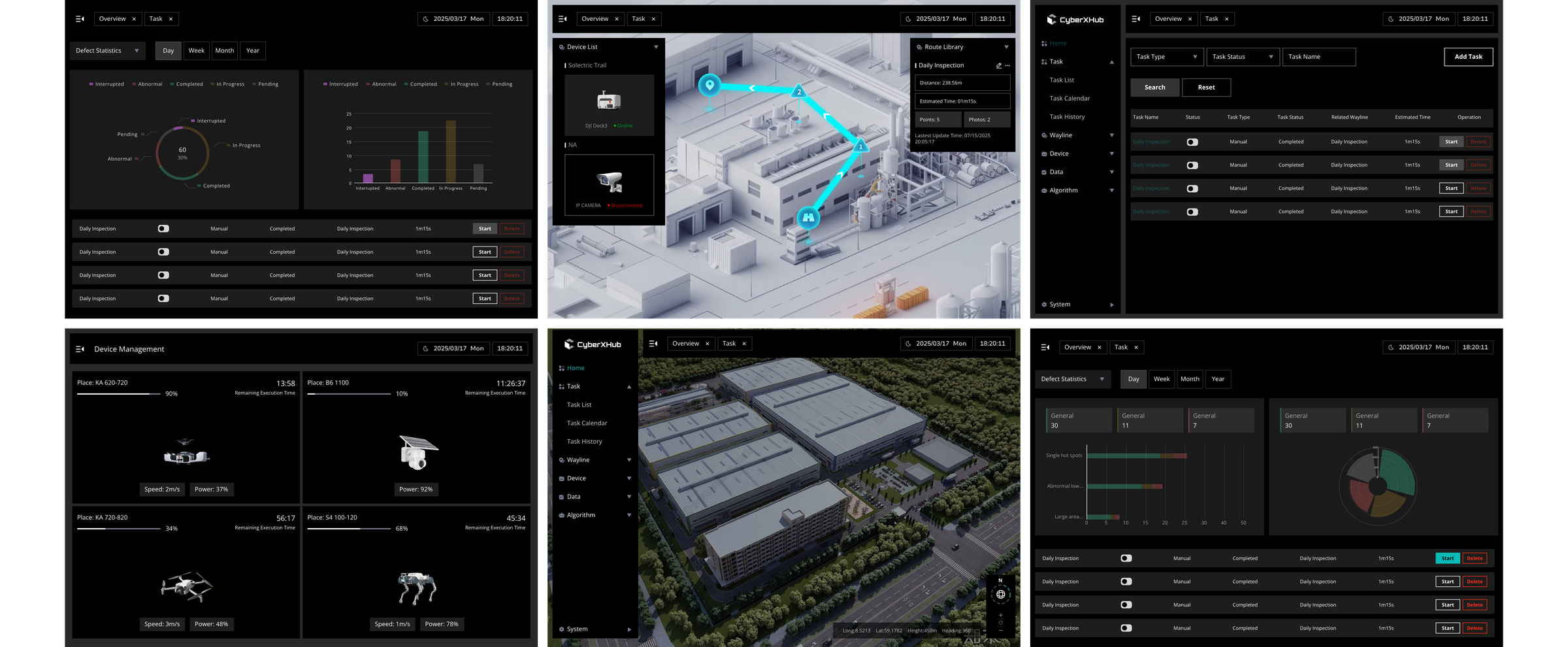
All your devices and all your data in one interface
Until now, running drones, robots and cameras has usually meant using several programs that are not compatible with one another. Data has to be exported, converted and imported again, and each type of device has its own controls. CyberXHub brings all of this together in one interface.
Before
- Drone softwarefor flight planning and control
- Mapping softwarefor 2D maps and 3D models
- Video systemfor the fixed CCTV cameras
- Robot controla separate system for each robot
With CyberXHub

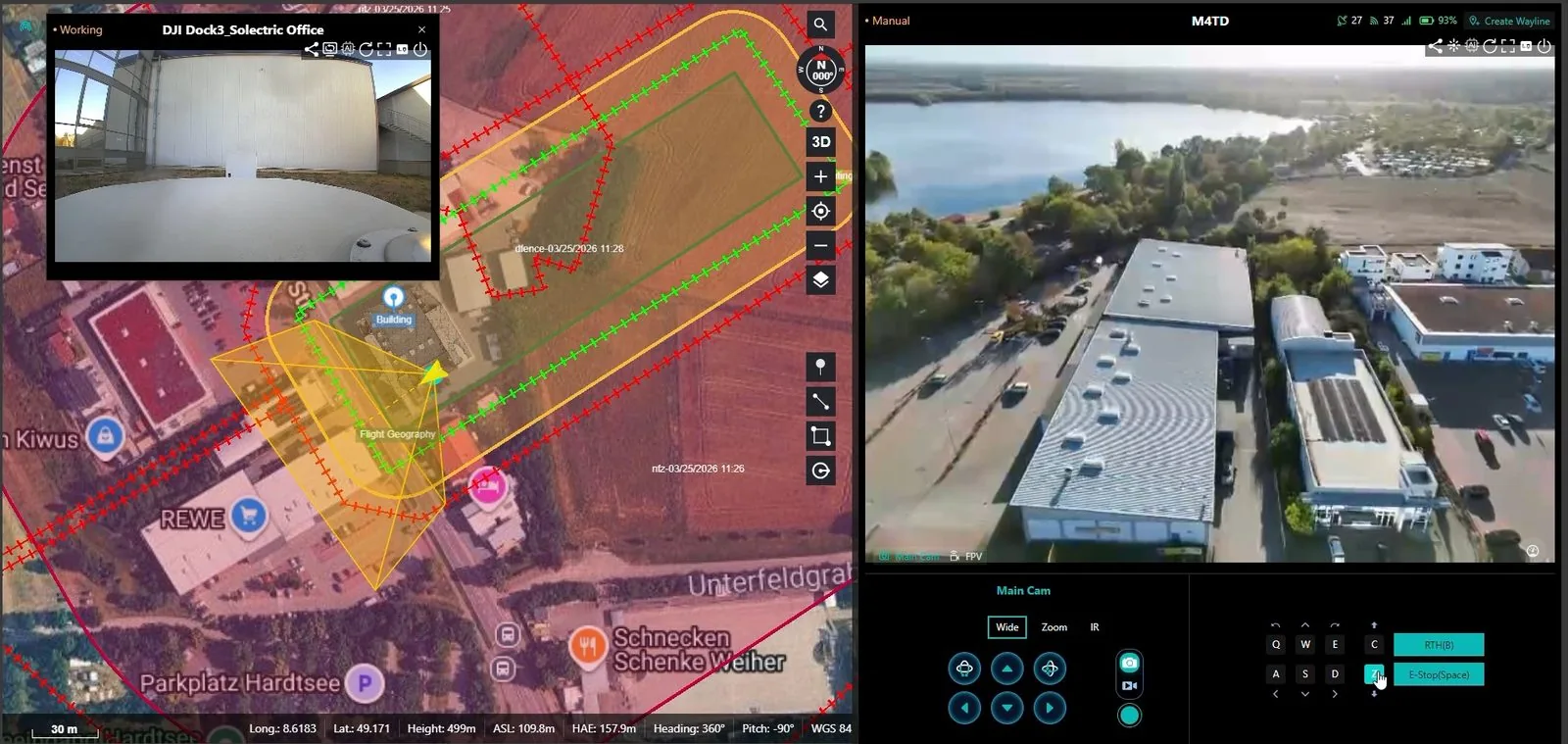
Planning, maps and 3D models, live feed, control and analysis for every device, all in one place.
How CyberXHub works
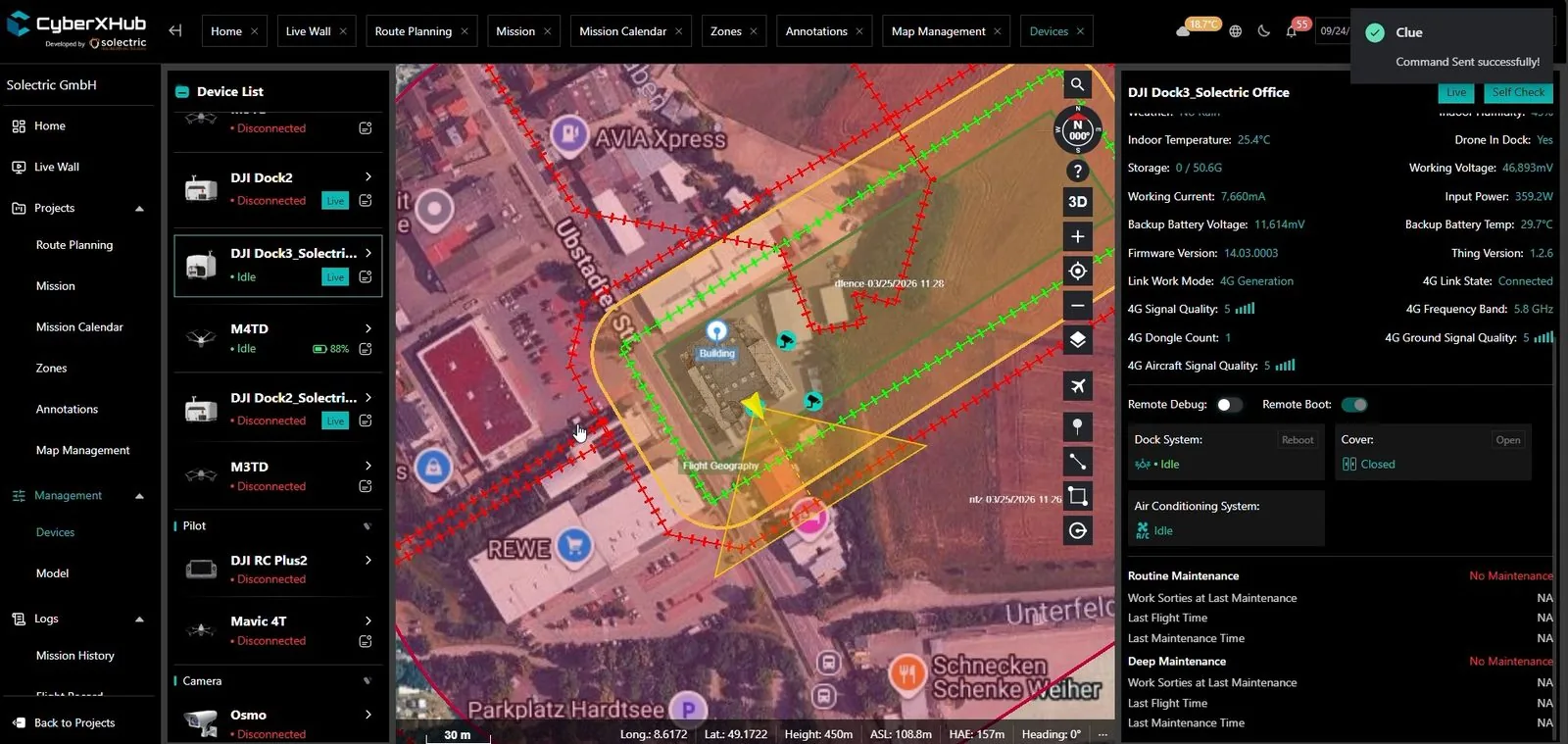
Devices you can connect
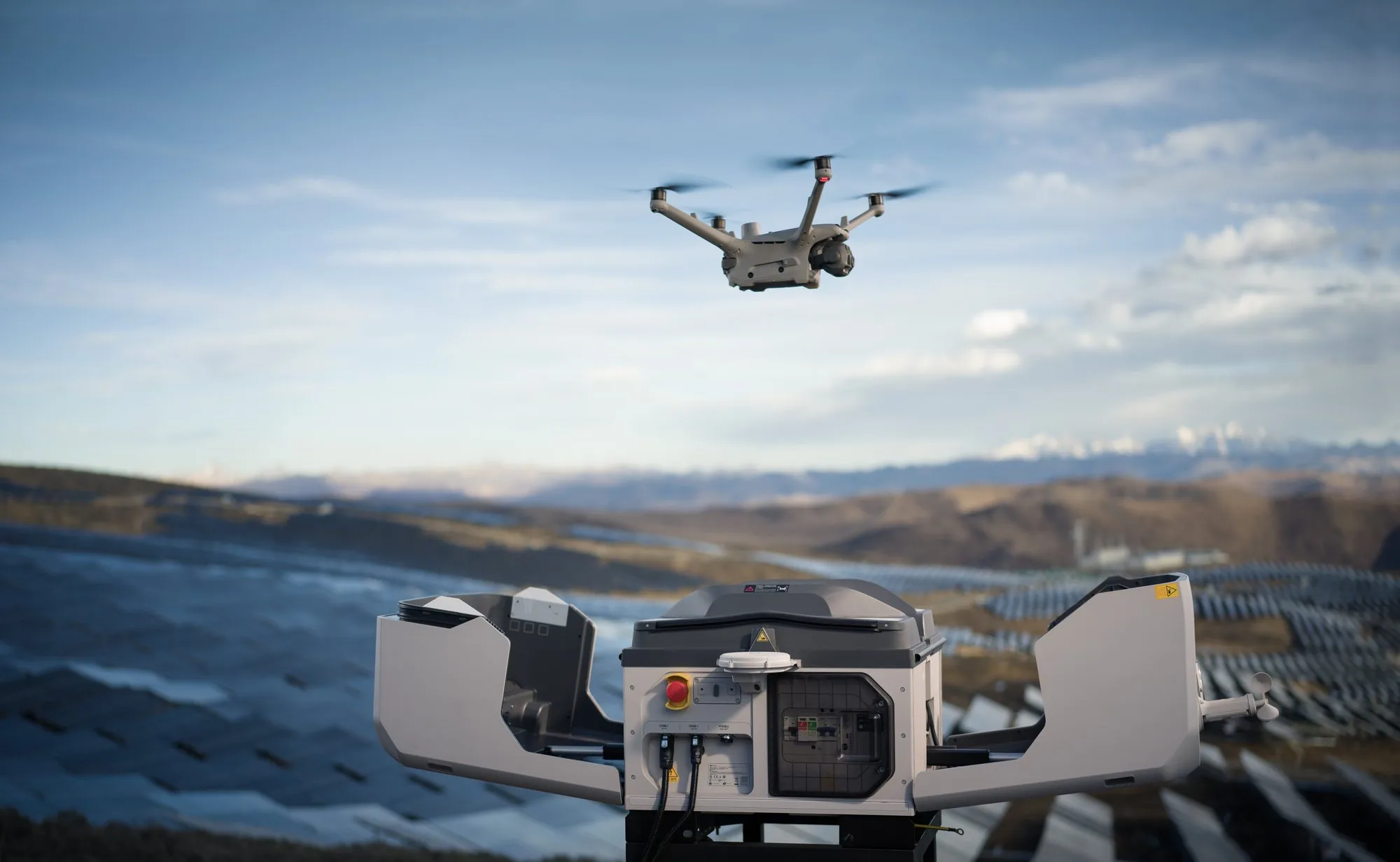
 Drones and docksDJI drones and automated docks, connected through DJI's interfaces
 RobotsWheeled robots and robot dogs fitted with cameras and sensors
 Fixed cameras and sensorsCCTV and night-vision cameras, gas detectors and motion sensors that can trigger missions
 Your own systemsYour control room, GIS and IT systems. We build any further interfaces as part of the project.
 Drones and docks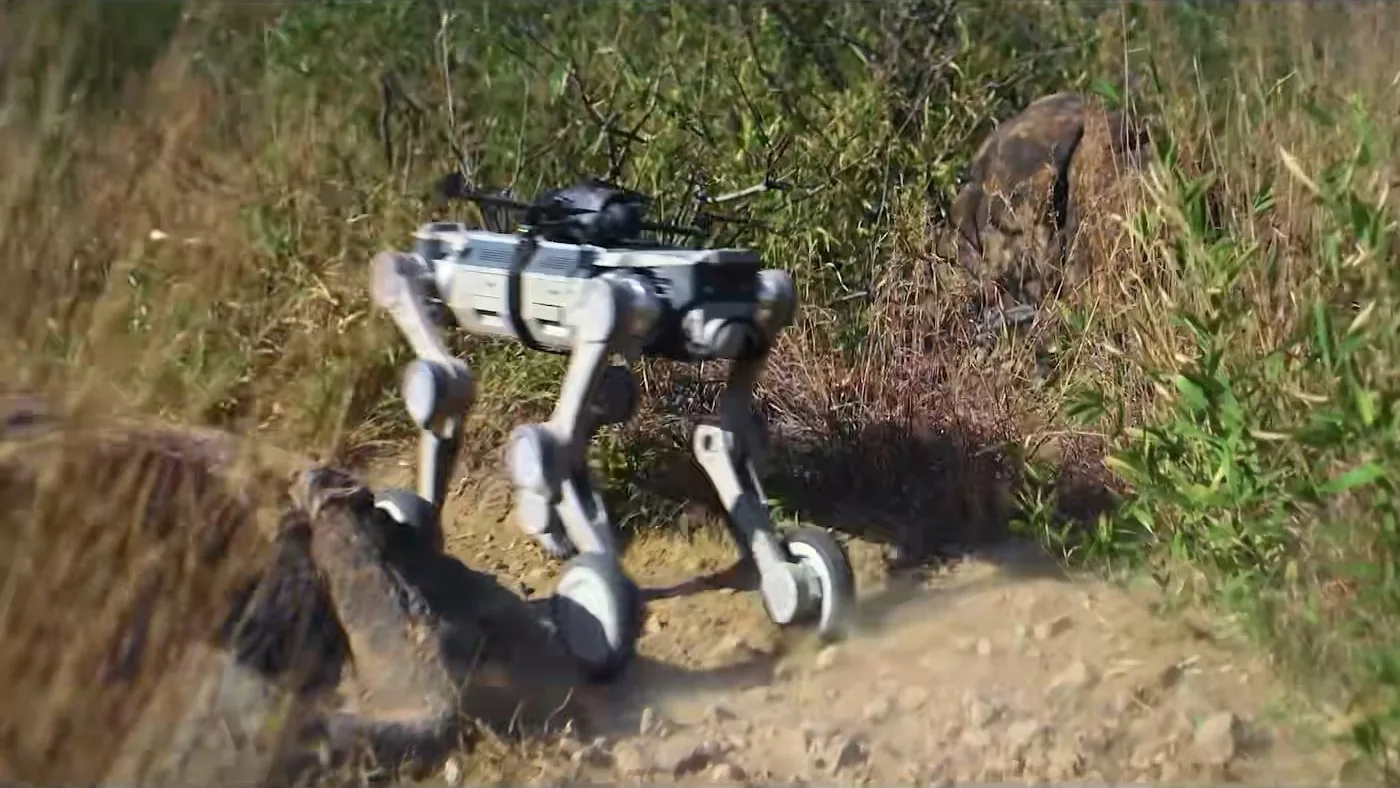
 Fixed cameras and sensors
 Your own systems
How your operations benefit
-
Automated missions
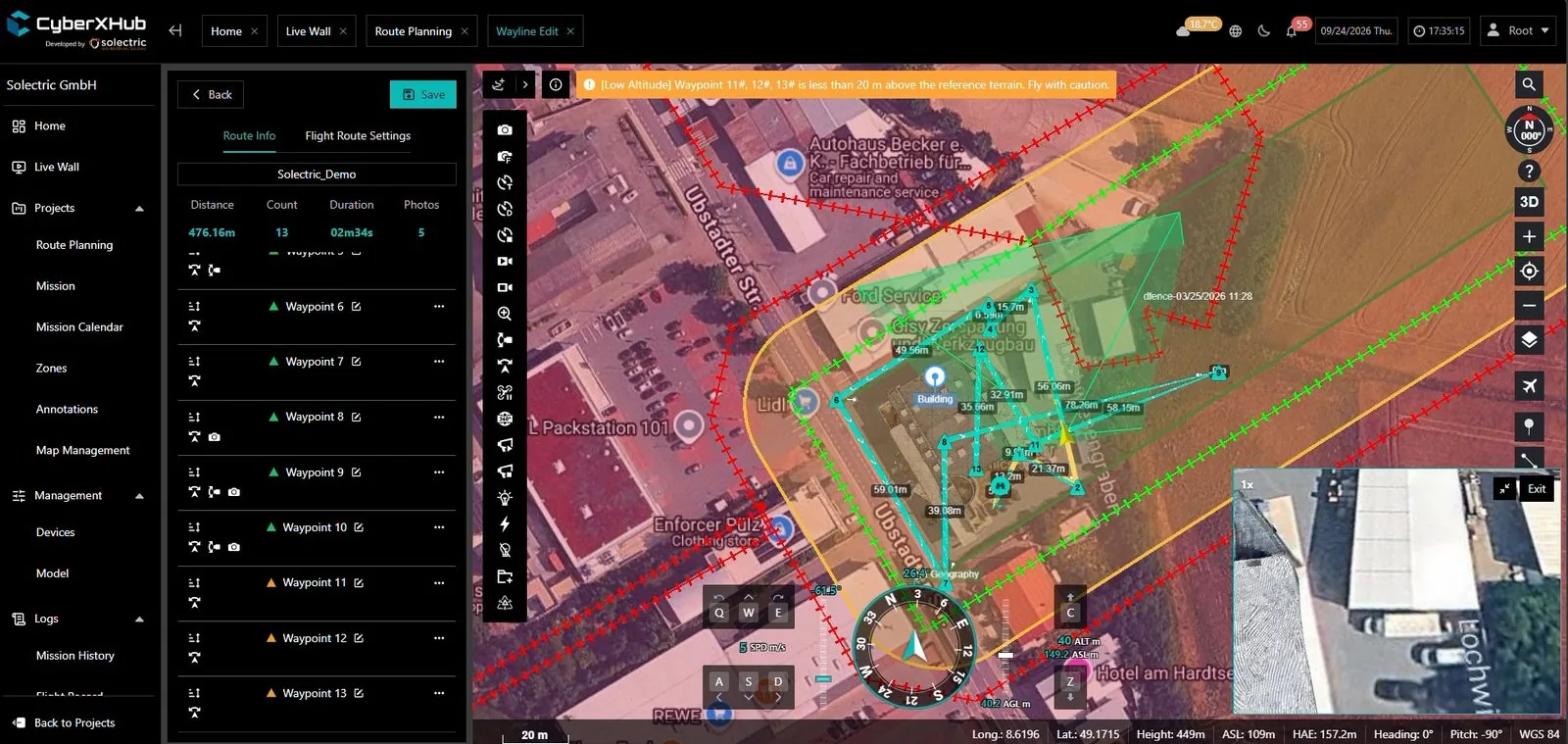
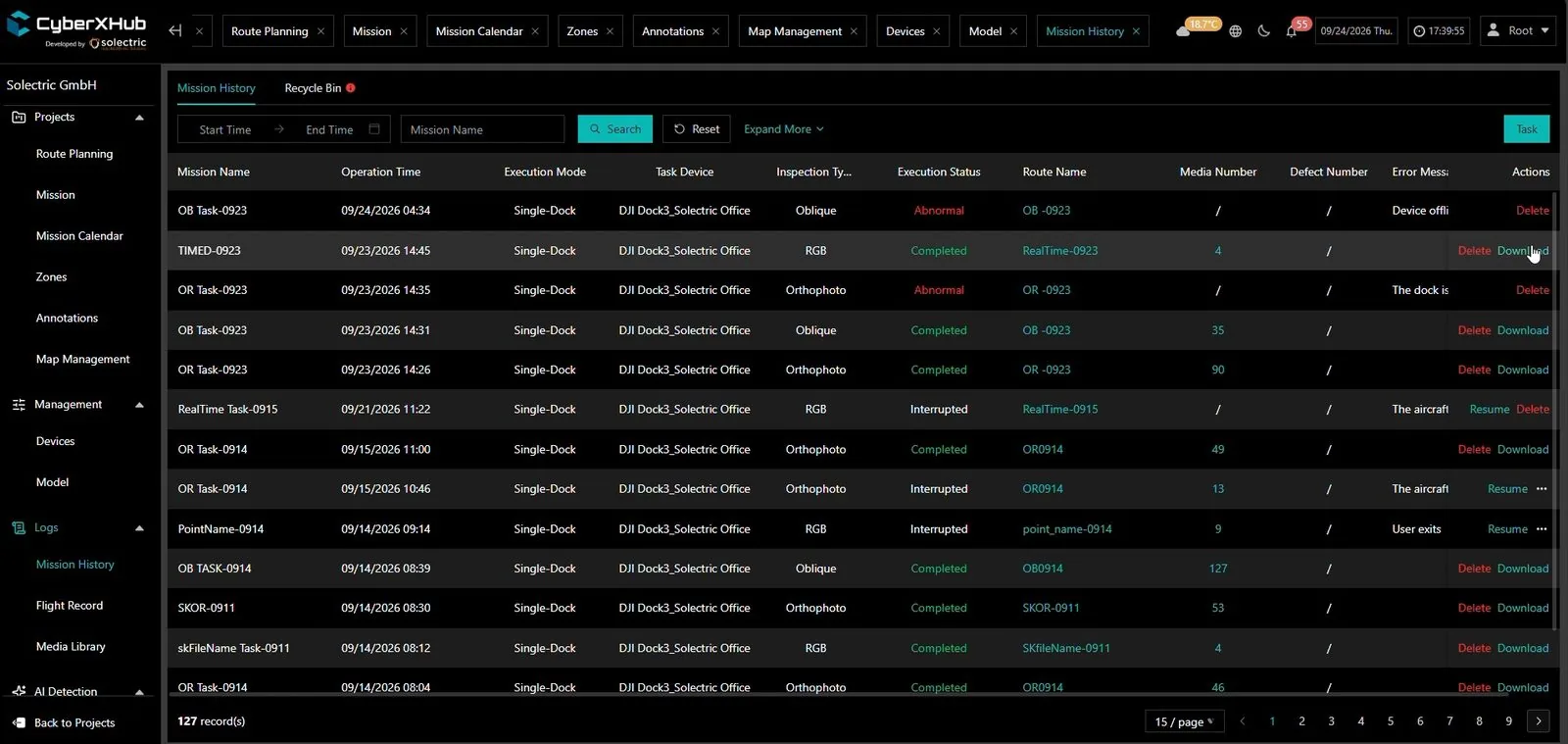
Missions start on a fixed schedule or automatically. Your specialists do not need to be on site.
-
Real-time situational awareness
The live feed goes straight to your control room. Your team can make informed decisions immediately.
-
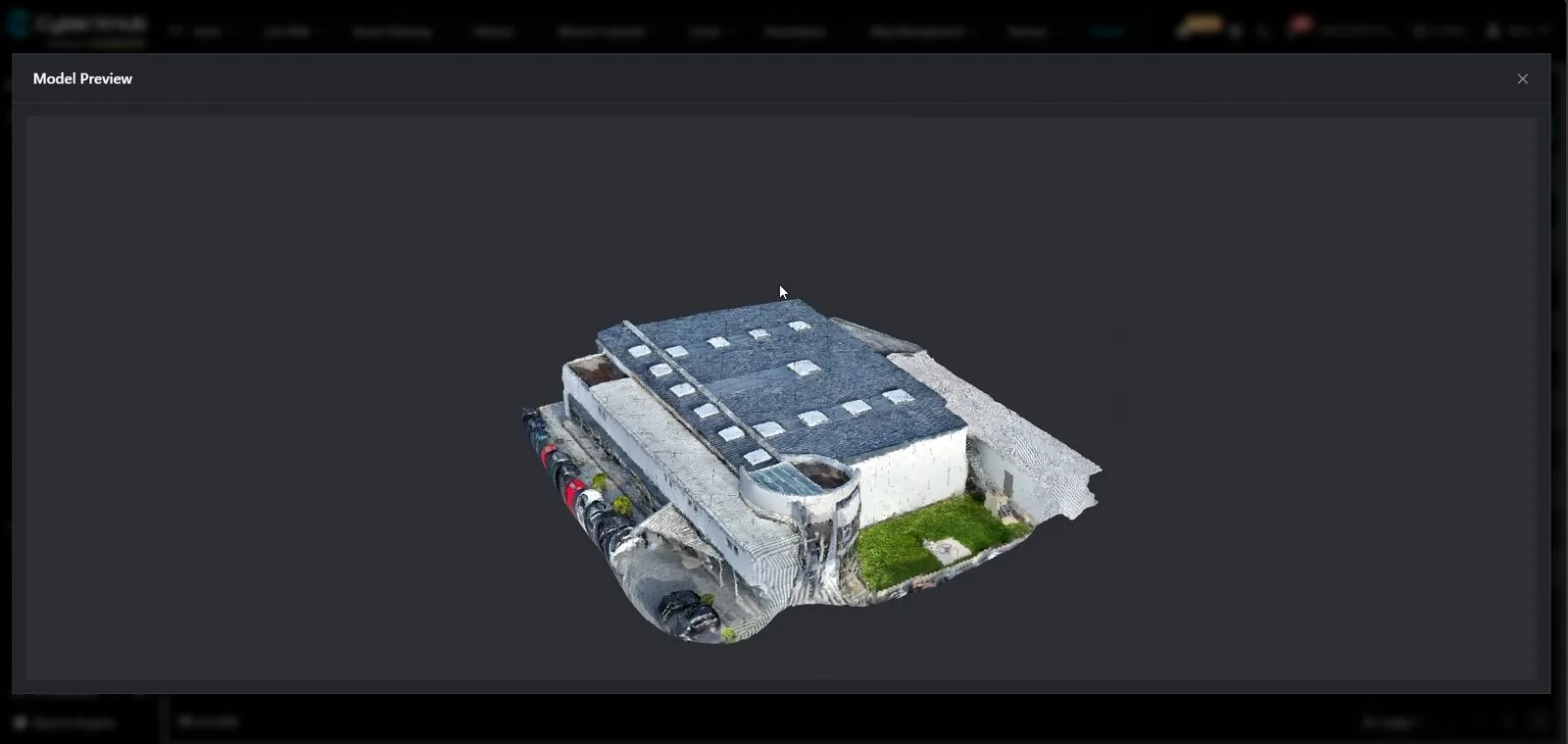
Mapping without extra software
2D maps and 3D models are created directly in CyberXHub, with no exporting or importing.
-
Reliable documentation
Repeatable missions deliver comparable images over weeks and months.
-
AI-assisted analysis
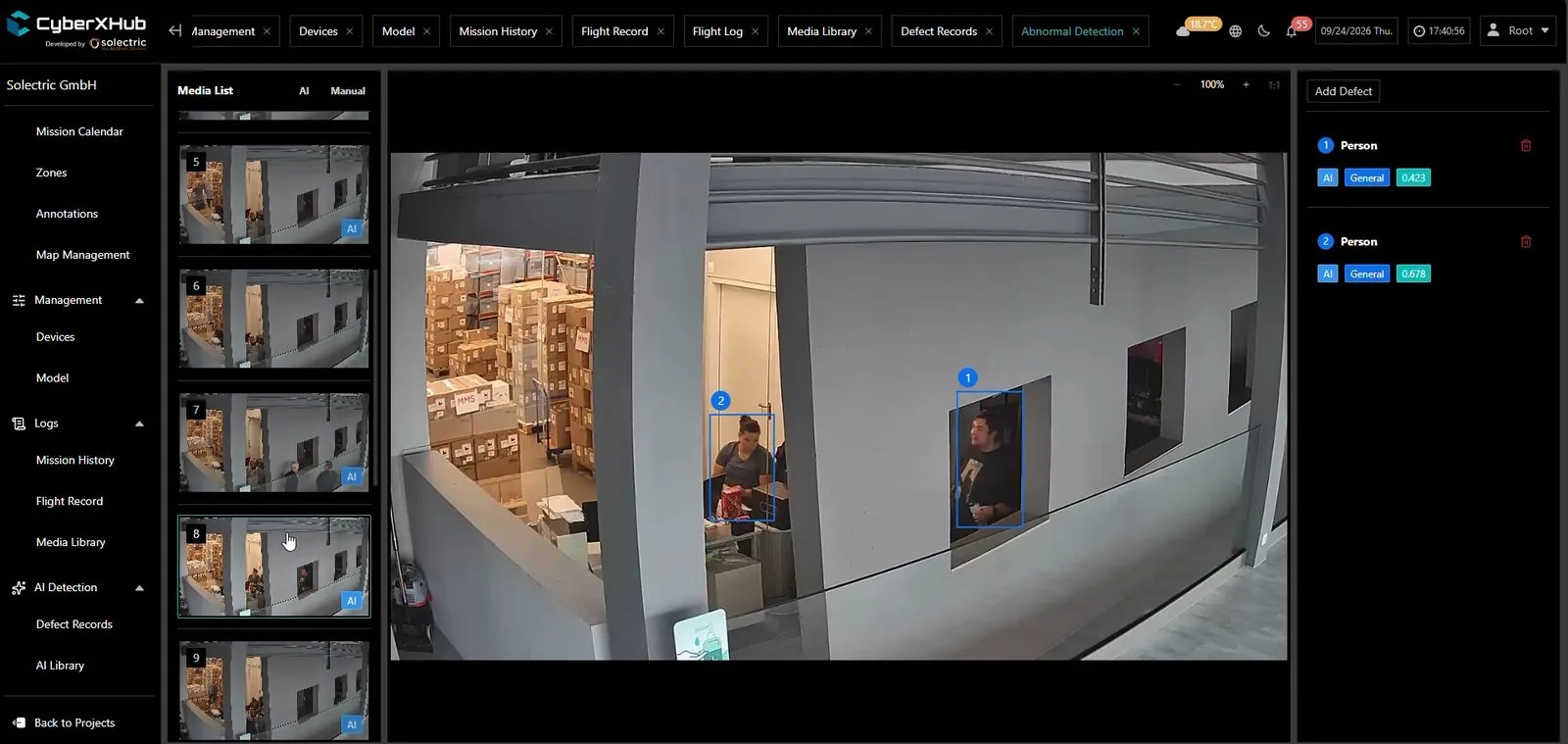
Detection algorithms automatically mark people and anomalies in the image.
-
Scales with your needs
We keep developing CyberXHub and adapt it to your applications.


You decide where your data lives
CyberXHub is developed in-house by Solectric, a German company based in Ubstadt-Weiher. The platform runs either in the cloud or entirely within your own IT infrastructure.
Cloud
AWS servers in Frankfurt
- Operated in line with the GDPR
- Several layers of protection, with sensitive data encrypted using AES-256
- No servers of your own needed
On-premises
Your own servers or private cloud
- Your data never leaves your network
- Suited to strict regulatory requirements
- Available on request as a preconfigured turnkey system, hardware and software included
- For critical infrastructure operators and public authorities whose data must stay on their own network
Frequently asked questions
What is CyberXHub?
CyberXHub is software from Solectric that lets you plan, control and analyse drones, docks, robots, cameras and sensors from different manufacturers in one interface. It runs in the cloud in Frankfurt or on your own servers and has been in use since October 2025.
Who owns the data?
You do. You decide whether CyberXHub runs in the cloud in Frankfurt or on your own servers. Sensitive data is encrypted with AES-256, and the platform is operated in line with the GDPR.
Does CyberXHub only work with DJI?
No. CyberXHub works with DJI drones and docks and also connects robots, cameras and sensors from other manufacturers. We connect any missing device types as part of the project.
Can CyberXHub be connected to our control room?
Yes. CyberXHub connects to your control room, geographic information system and IT, and we build further interfaces as part of the project. Fixed cameras, gas detectors and motion sensors can trigger missions automatically.
Do drones and robots have to run through the manufacturer's cloud?
There is no need. With CyberXHub, drones and robots can be operated without the manufacturer's cloud. If CyberXHub is installed on your own servers, no data leaves your network, and we only install firmware updates once you have approved them.
Can we use our own AI models?
Yes. Several detection models run in parallel in CyberXHub, and you can train your own models, for example to detect people on your site.
Can we trace who did what?
Yes. Missions and interventions are logged, and access rights can be separated by task. This lets you demonstrate your processes to auditors and insurers.
Is CyberXHub already in use?
Yes. CyberXHub has been available since October 2025 and is in use at several sites, including BayWa r.e., Bohlen & Doyen, E-Werk Mittelbaden and Ilos. We develop new features together with our customers.
How much does CyberXHub cost?
The cost depends on the number of devices and sites, and on whether CyberXHub runs in the cloud or on your own servers. We will put together a quote to match your set-up.